educationWallets Guide
The 10 Best Cryptocurrency Wallets in 2026: Hot, Cold, and Multi-Chain Ranked
12m read·Mar 21
You no longer need a designer, a developer, or a contract template to launch an NFT collection. ZNS Connect AI NFT Generator takes one text prompt and produces name, artwork, description, and a fully deployed on-chain collection in under 60 seconds — powered by Google's Nano Banana, FLUX 2.0, and Stable Diffusion.
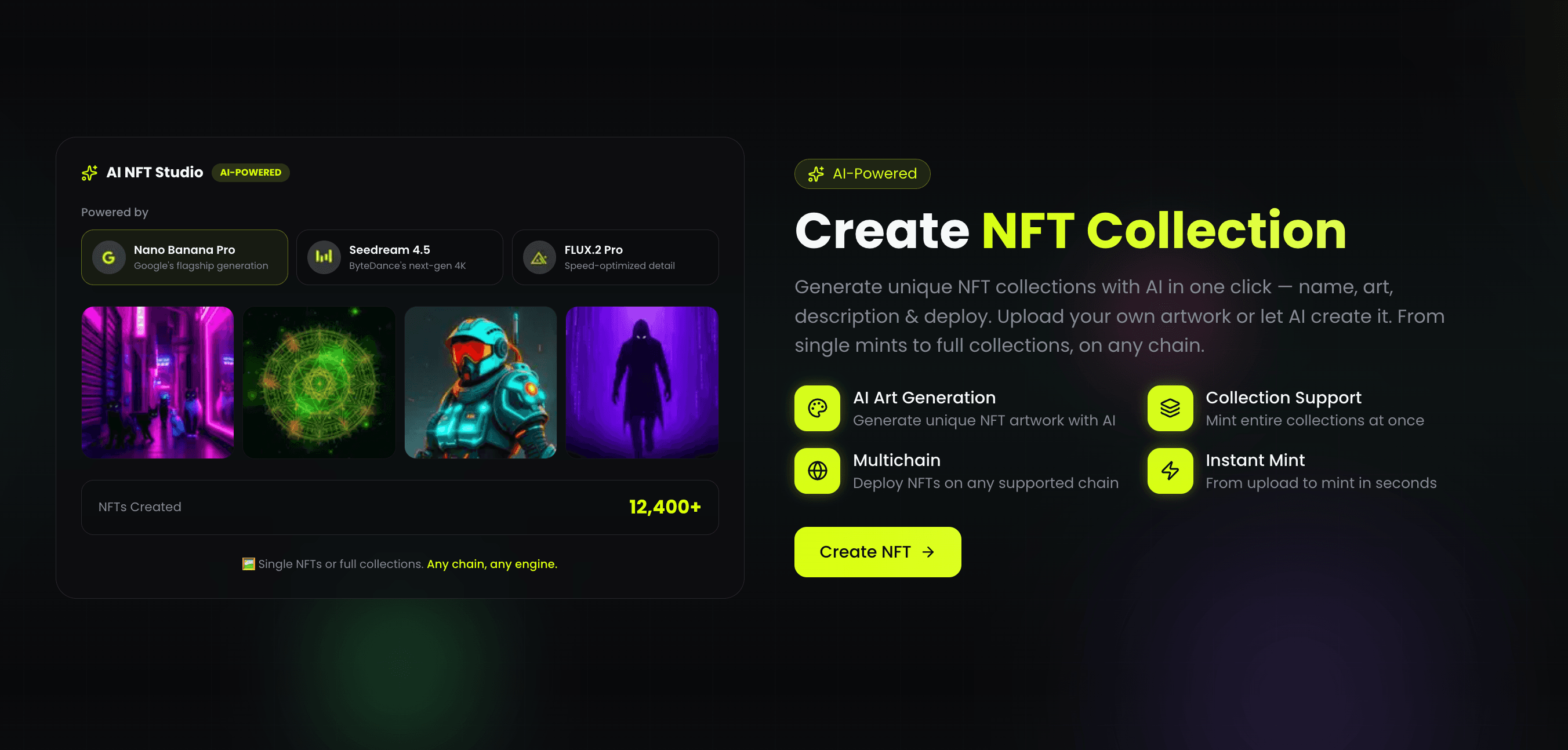
Until recently, creating an NFT collection required at minimum: a designer for the artwork, a developer to write and deploy the smart contract, an IPFS setup to host metadata, and a separate mint frontend for buyers. The full process cost $500–5,000 in services and took days to weeks.
Even simplified tools still required you to have artwork ready before you could start. The creative bottleneck — producing a unique, consistent visual identity for a collection — remained fully on the creator's side.
The AI NFT Generator at zns.bio/gm-deploy?tab=create-nft removes that bottleneck entirely. You type a theme. The system handles everything else: generates the name, writes the description, creates original artwork, uploads to IPFS, deploys the contract on-chain, and hands you a public mint link — all in a single flow that takes under 60 seconds.
12,400+ NFT collections have already been created through ZNS Connect. The AI Generator is now the fastest path from idea to live mint page on any chain.
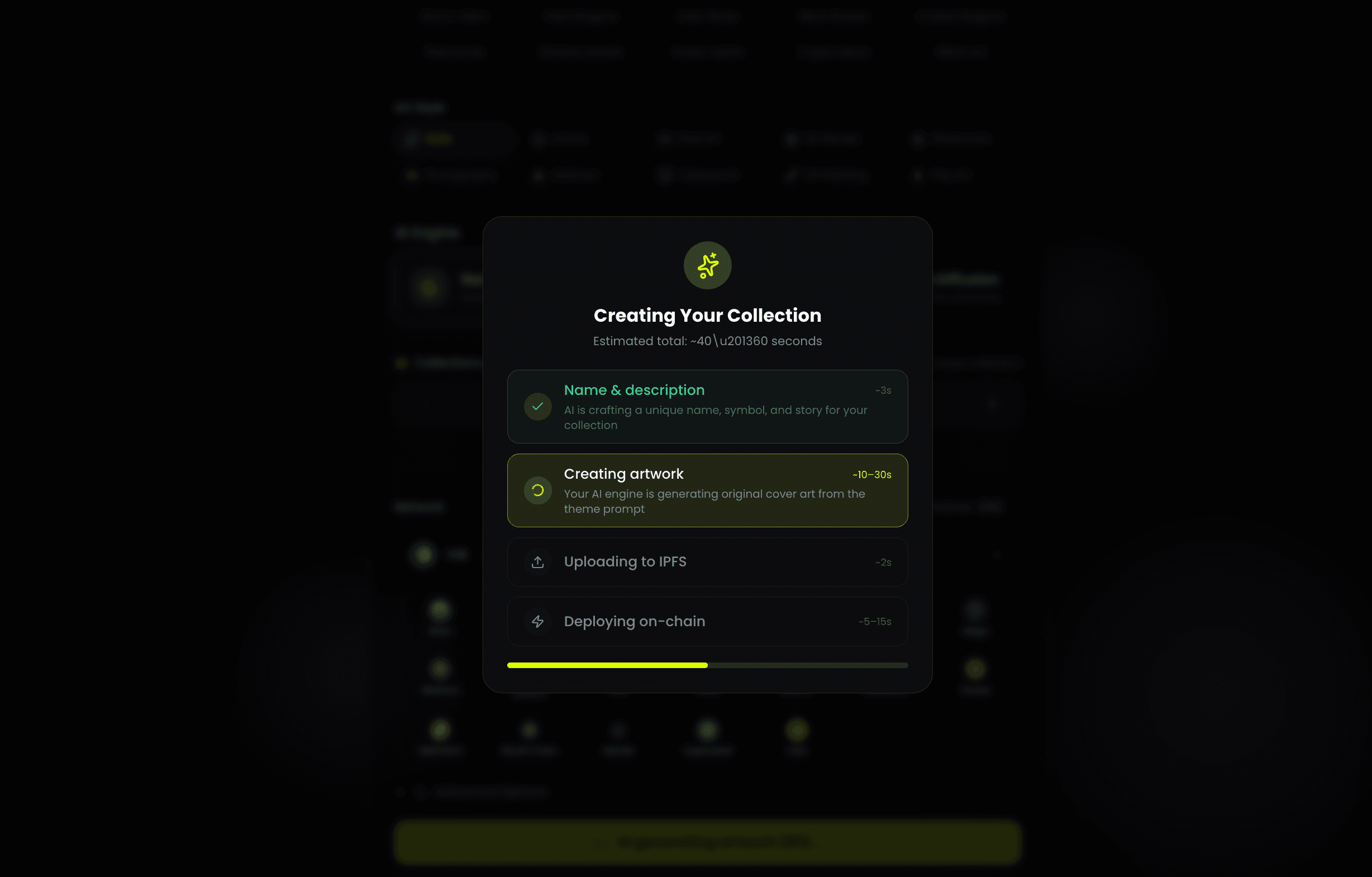
The generator runs four sequential steps automatically after you click Generate & Deploy:
Step 1 — Name & description (~3 seconds): The AI generates a unique collection name, ticker symbol, and description based on your prompt. These appear on the mint page and in wallets. The name is crafted to match the theme and sound like a real collection — not a random string.
Step 2 — Creating artwork (~10–30 seconds): Your selected AI engine generates original cover art from the theme prompt. This becomes the NFT image — the visual identity for every token in the collection.
Step 3 — Uploading to IPFS (~2 seconds): The generated artwork and metadata are uploaded to IPFS automatically. You never touch a pinning service or deal with CID management.
Step 4 — Deploying on-chain (~5–15 seconds): The NFT collection contract is deployed to your selected network. The contract is verified and gas-optimized. Your wallet receives creator privileges and 50% of all mint fees going forward.
Total end-to-end: approximately 40–60 seconds from click to live collection.
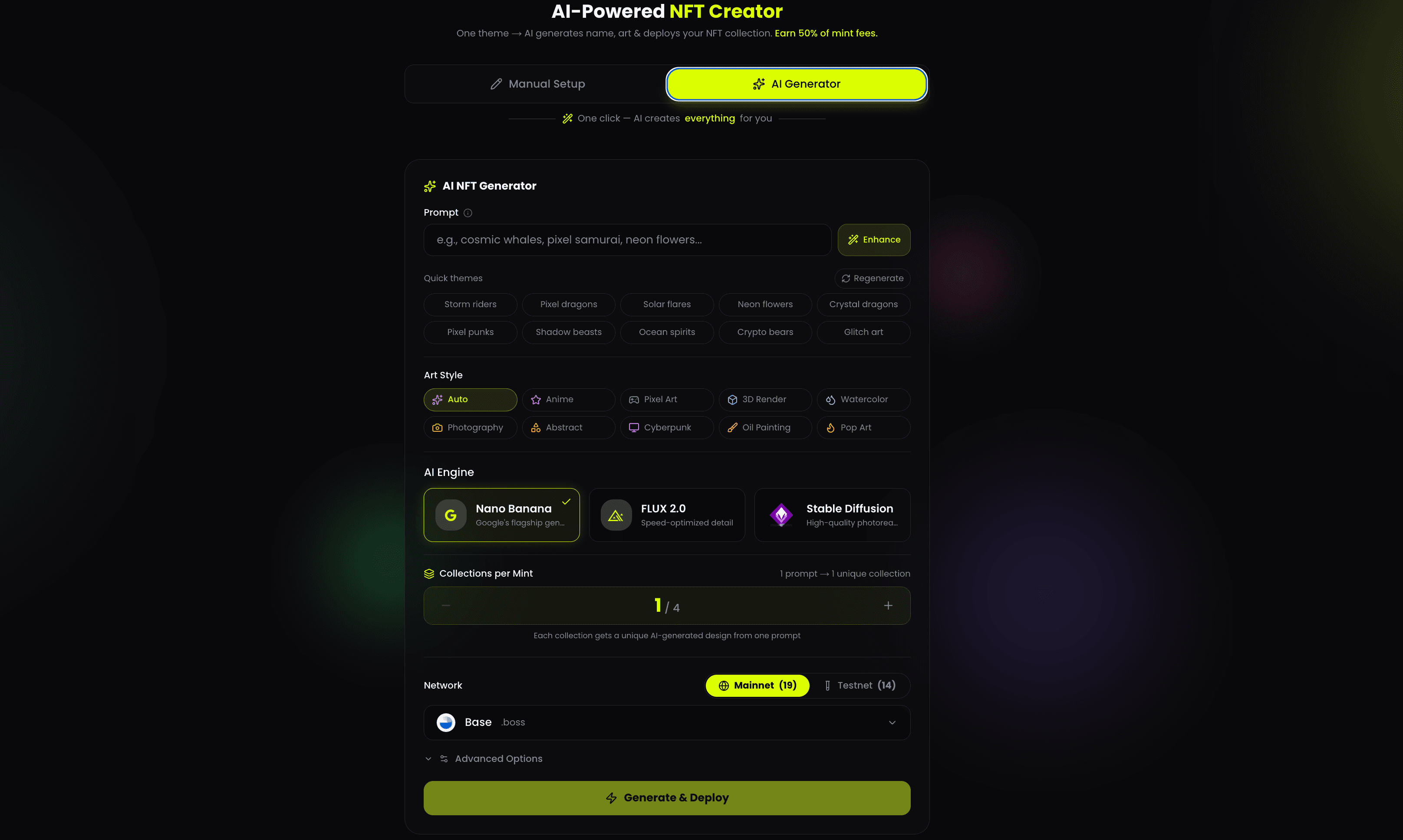
The generator gives you a choice of AI engine before deploying. Each produces different visual output from the same prompt. Understanding the difference helps you pick the right engine for what you're making.
Nano Banana is Google's flagship image generation model. It produces highly detailed, compositionally strong images with accurate prompt adherence. If your prompt describes a specific scene — "cosmic scene with solar flares erupting from a blazing sun, casting radiant oranges against deep indigo space" — Nano Banana will interpret it literally and accurately.
Best for: collections where the prompt describes a specific visual concept clearly. Space themes, nature-based themes, environmental concepts, portrait-style collections. The model excels at rendering light, depth, and atmosphere.
FLUX 2.0 is optimized for speed without sacrificing detail density. It generates faster than Nano Banana while maintaining sharp textures and complex pattern work. FLUX performs particularly well on geometric, abstract, and pattern-heavy prompts.
Best for: pixel art adjacent themes, glitch art, abstract patterns, crypto-themed collections where visual complexity and sharpness matter more than photorealism. Also the right choice when you want to generate multiple collections quickly from one session.
Stable Diffusion is the most established open-source generation model in the AI art space. It produces high-quality photorealistic output with strong stylistic range. Art style selection matters most with Stable Diffusion — the same prompt rendered in Anime vs. Oil Painting vs. Cyberpunk will produce dramatically different results.
Best for: collections where style consistency is the priority. Character-based collections, badge-style NFTs, collections that lean into a specific artistic tradition. Stable Diffusion rewards prompt crafting more than the other engines.
The generator offers nine art styles that modify how any engine interprets your prompt:
Auto — the engine selects the most appropriate style for the prompt automatically. Best default choice.
Anime — clean lines, flat color blocking, stylized proportions. Works especially well with Stable Diffusion.
Pixel Art — 8-bit/16-bit aesthetic. Consistent across all engines. Strong for retro-themed collections.
3D Render — volumetric, depth-forward output. Works best with Nano Banana and FLUX.
Watercolor — soft edges, bleeding color transitions. Most natural output with Stable Diffusion.
Photography — photorealistic treatment. Nano Banana produces the strongest results in this mode.
Abstract — non-representational, shape and color-forward. FLUX produces the most interesting output here.
Cyberpunk — neon, urban, high-contrast. Works across all three engines.
Oil Painting — textured, classical aesthetic. Stable Diffusion is the natural choice here.
Pop Art — bold flat colors, graphic outlines. Consistent results across engines.
Step 1 — Open the AI Generator tab
Go to zns.bio/gm-deploy?tab=create-nft and click AI Generator at the top. Connect your wallet if you haven't already.
Step 2 — Enter your prompt
Type your theme in the Prompt field. You can write anything: "cosmic whales," "pixel samurai," "neon flowers," "solar flares." Keep it concrete — specific visual descriptions produce better results than abstract concepts.
Use Quick Themes to pick from pre-built prompts: Storm riders, Pixel dragons, Solar flares, Neon flowers, Crystal dragons, Pixel punks, Shadow beasts, Ocean spirits, Crypto bears, Glitch art. These are tested prompts that produce strong output across all engines.
Click Enhance to have the AI expand your prompt automatically before generation. This adds compositional and stylistic detail that improves output quality without requiring you to write a full generation prompt.
Step 3 — Choose your art style
Select from Auto, Anime, Pixel Art, 3D Render, Watercolor, Photography, Abstract, Cyberpunk, Oil Painting, or Pop Art. Auto works well for most prompts. Set a specific style if you know exactly what aesthetic you want.
Step 4 — Select your AI engine
Choose Nano Banana for high-accuracy theme rendering, FLUX 2.0 for speed and sharp detail, or Stable Diffusion for photorealistic or heavily stylized output. For a first collection, Nano Banana with Auto style is a reliable starting point.
Step 5 — Set Collections per Mint
The slider goes from 1 to 4. Setting it to 4 generates four unique collections from one prompt — each with different AI-generated artwork, a unique name, and a separate smart contract. Deploy up to 4 collections in one transaction session. Each collection gets its own mint page.
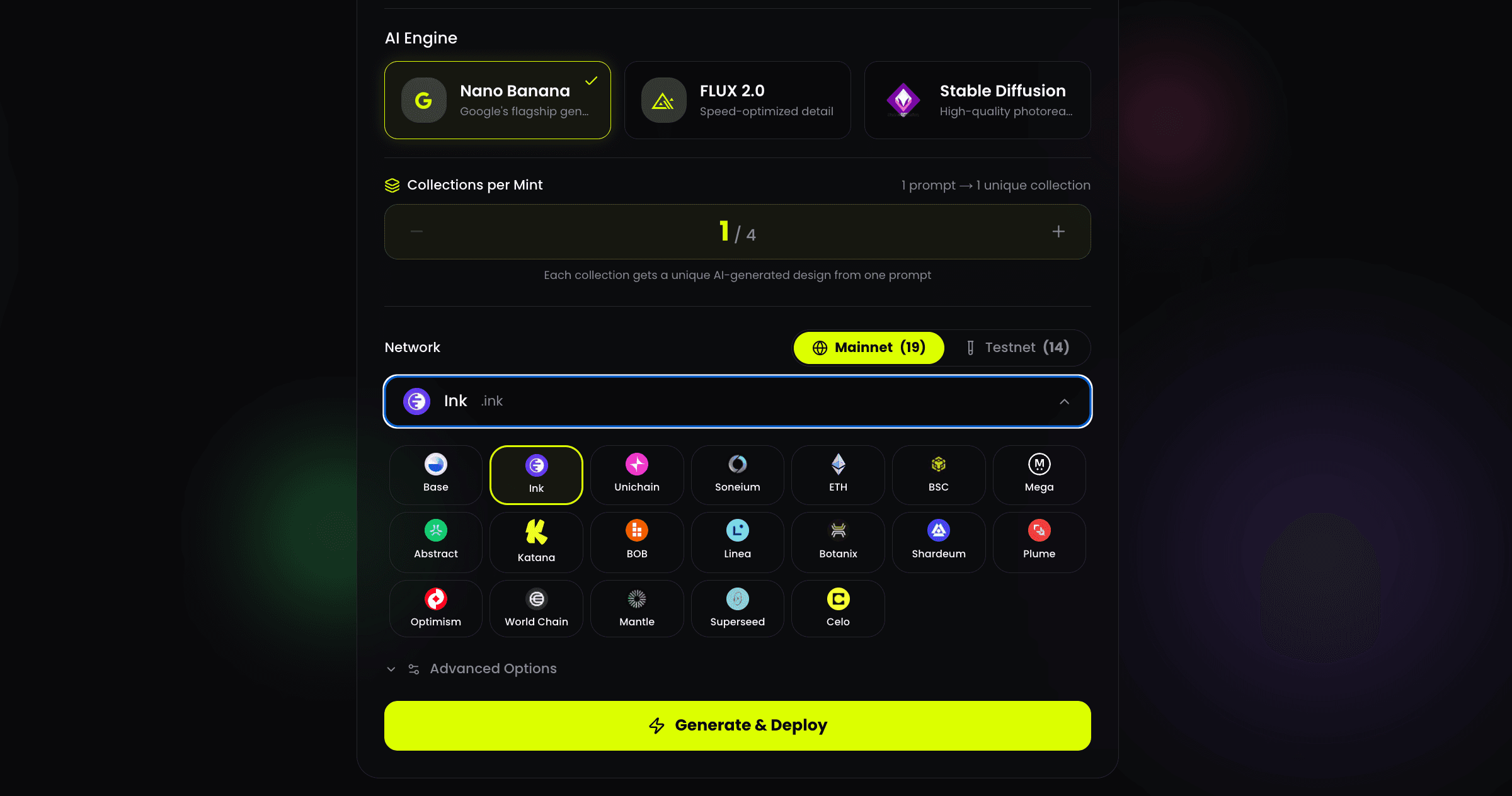
Step 6 — Select your network
Choose from 19 mainnets or 14 testnets. Current mainnet options include Base, Ink, Unichain, Soneium, ETH, BSC, Mega, Abstract, Katana, BOB, Linea, Botanix, Shardeum, Plume, BOB, Optimism, World Chain, Mantle, Superseed, Celo, and more.
Testnet deployment is free beyond gas — good for testing your prompt and checking output before committing to mainnet.
Step 7 — Generate & Deploy
Click Generate & Deploy and confirm in your wallet. The progress modal walks through each step: Name & description → Creating artwork → Uploading to IPFS → Deploying on-chain. The full process completes in under 60 seconds.
Step 8 — Share your mint link
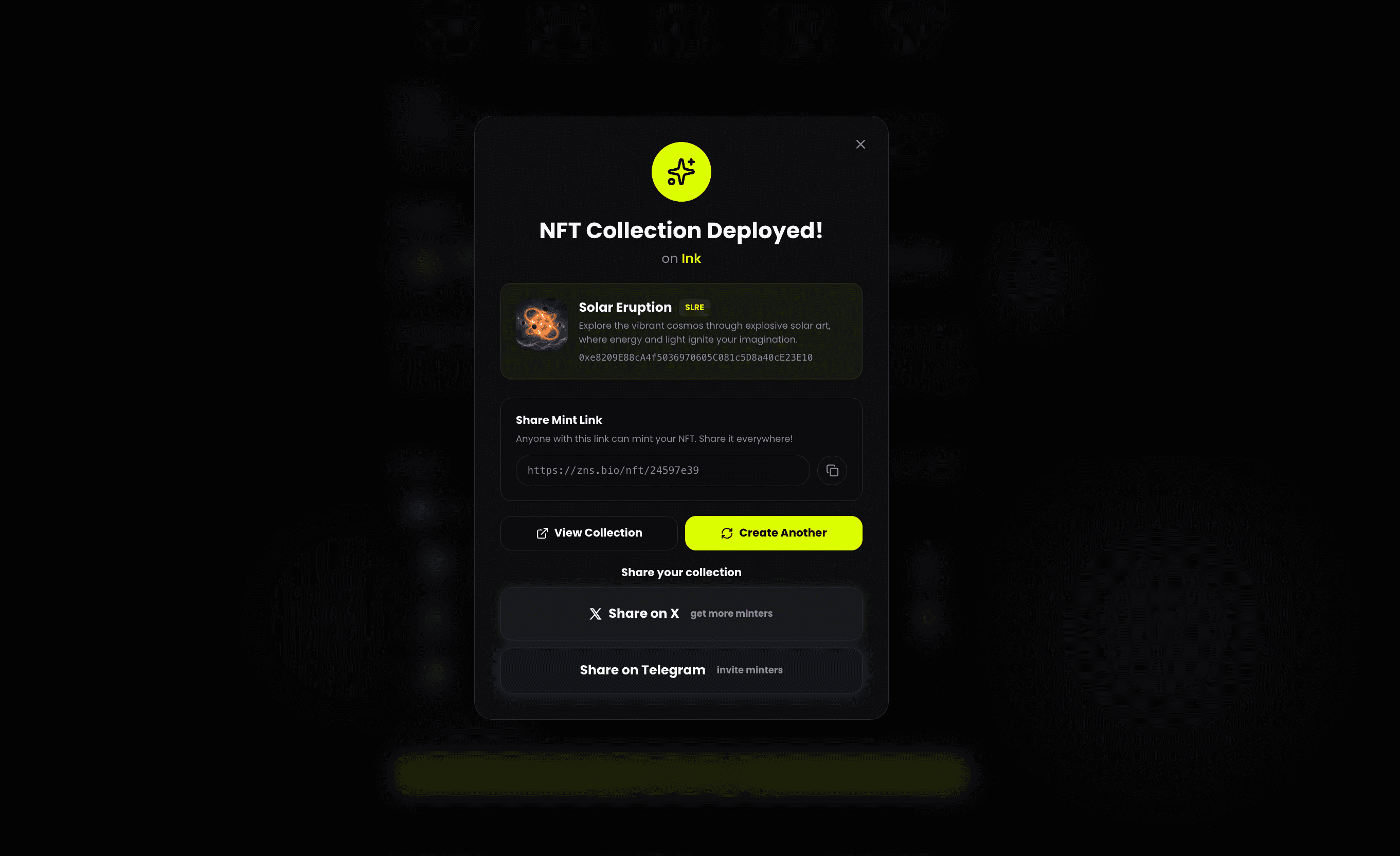
The confirmation modal shows your collection name, ticker, contract address, and mint URL: zns.bio/nft/[id]. Share this link anywhere. Every mint earns you 50% of the mint fee automatically to your wallet.
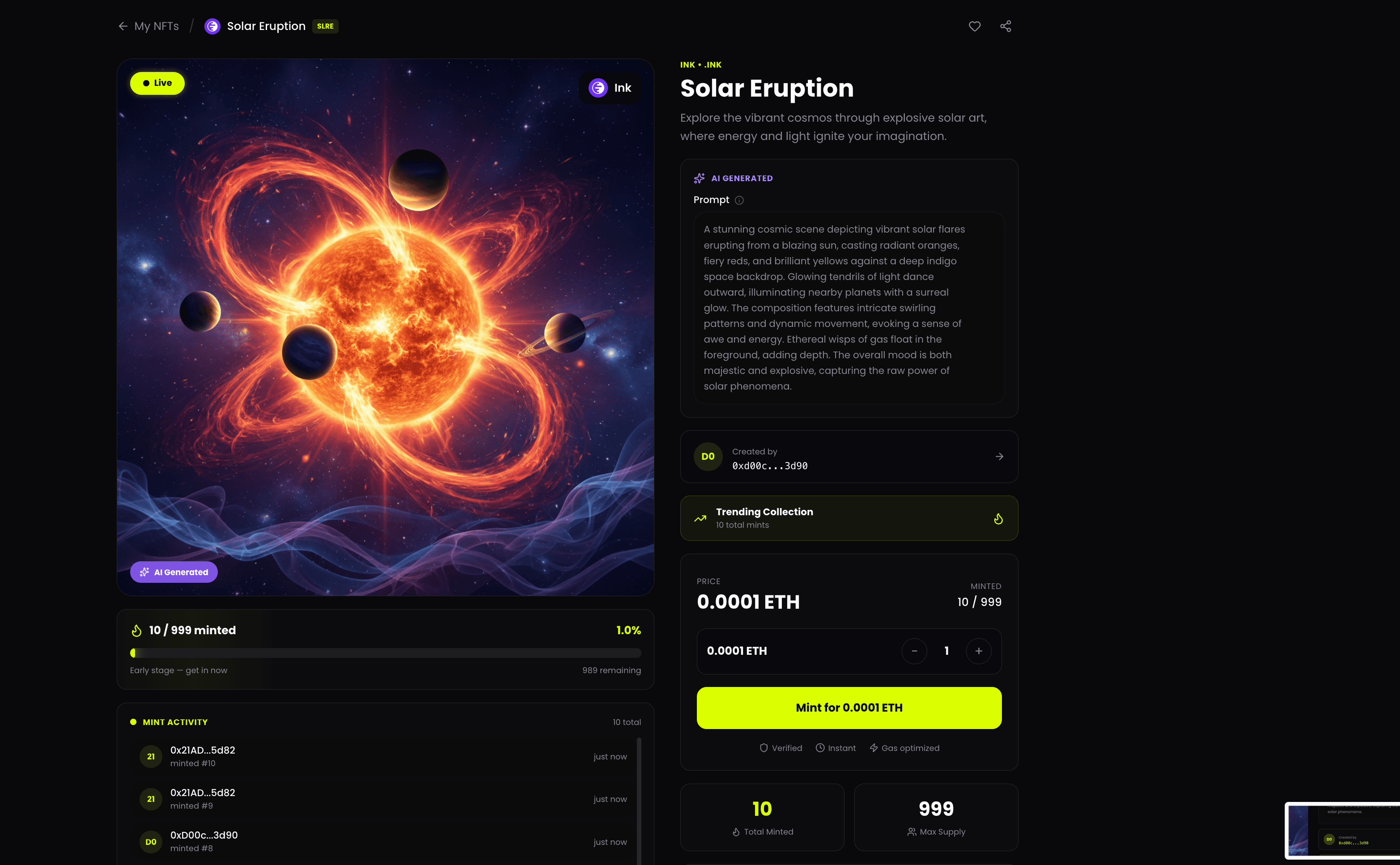
After deployment, your collection has a full public page showing: the AI-generated artwork, collection name and description, the AI engine and full prompt used to create it, creator address, total minted vs. max supply, mint price, a Mint button, and a live activity feed showing each new mint in real time.
The page also shows the full AI prompt that generated the artwork — labelled AI Generated — so minters can see exactly how the collection was created. This transparency is part of what makes AI-generated collections valuable as on-chain artifacts: the generation parameters are permanently recorded alongside the contract.
Collections marked Trending Collection get additional visibility on the ZNS Connect platform as minting activity picks up.
The ability to generate up to 4 unique collections from one prompt is a meaningful feature for airdrop farming strategy. Each collection is a separate smart contract deployment on your target network — four deployments, four mint pages, four distinct on-chain events, all from one session.
For wallets farming networks like Ink, Base, or Soneium that are tracking builder activity, four contract deployments in one day produces a qualitatively different wallet profile than one. The contracts are all distinct — different names, different artwork, different addresses — even though they came from the same original prompt.
Deploy across multiple networks in the same session using the same approach: select a network, generate 1–4 collections, repeat on the next network. The AI generates unique artwork for each collection even when the prompt is identical — no two collections are the same.
The 7-in-1 workflow at zns.bio/gm-deploy?tab=7in1 includes NFT creation as one of its seven daily on-chain actions. This keeps your wallet active on target networks with a consistent daily transaction pattern.
The AI NFT Generator is the tool for when you want a full collection with public minting, custom supply, AI-generated artwork, and revenue sharing. The 7-in-1 is the daily 5-minute habit that maintains activity across all seven interaction types — including NFT actions — between deeper sessions.
Use both. The combination produces a wallet history that looks exactly like what snapshot-based distributions are designed to reward: consistent daily presence plus real creative deployments.
Start your first AI-generated collection at zns.bio/gm-deploy?tab=create-nft.
Find your name across 90+ chains — no renewals, full profile.
Register your Web3 domain and build your onchain identity.